Antidetect Profiles app icon

Antidetect Profiles

Your browser profiles. Your machine. Your control.

Mac & Windows desktop app for agencies, QA, and e‑commerce teams. Firefox + Chromium engines, free 7-day trial, Local Unlimited from $9/mo.

No card required · Local-first · Profiles stay on your device

Version … · macOS & Windows x64 · Free 7-day trial

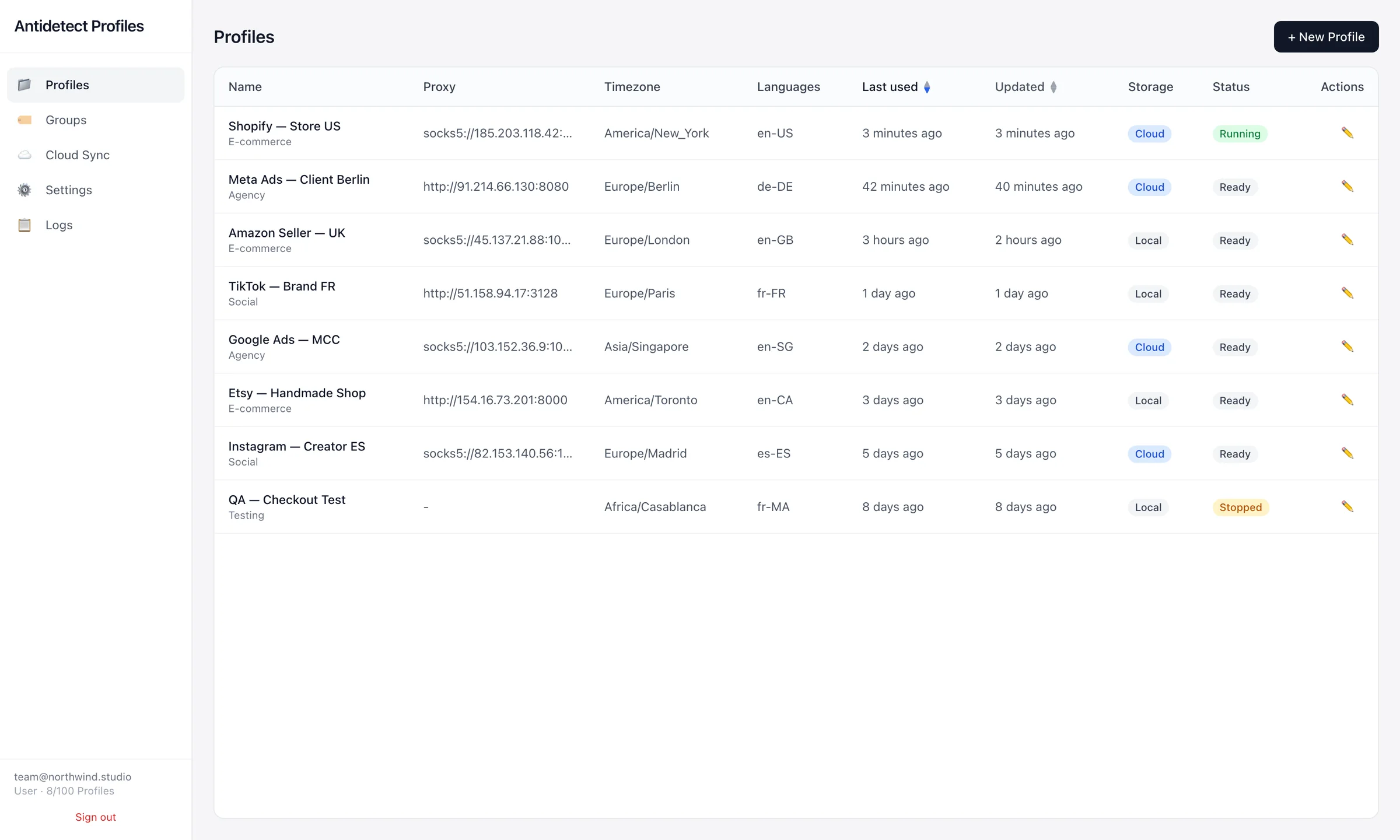
Antidetect Profiles window showing a list of browser profiles with their proxy, timezone, language, storage and status
Engines
Camoufox (Firefox) and Chromium, chosen per profile
Proxies
HTTP and SOCKS5, one per profile, or your own IP
Storage
On your computer by default, cloud backup optional
Platform
macOS 12+ Apple Silicon · Windows 10/11 x64

Profiles

Every profile is a separate browser.

Cookies, local storage, history and saved logins live in each profile's own folder. Nothing is shared between profiles, so one account never leaks into another.

  • The same device fingerprint on every launch
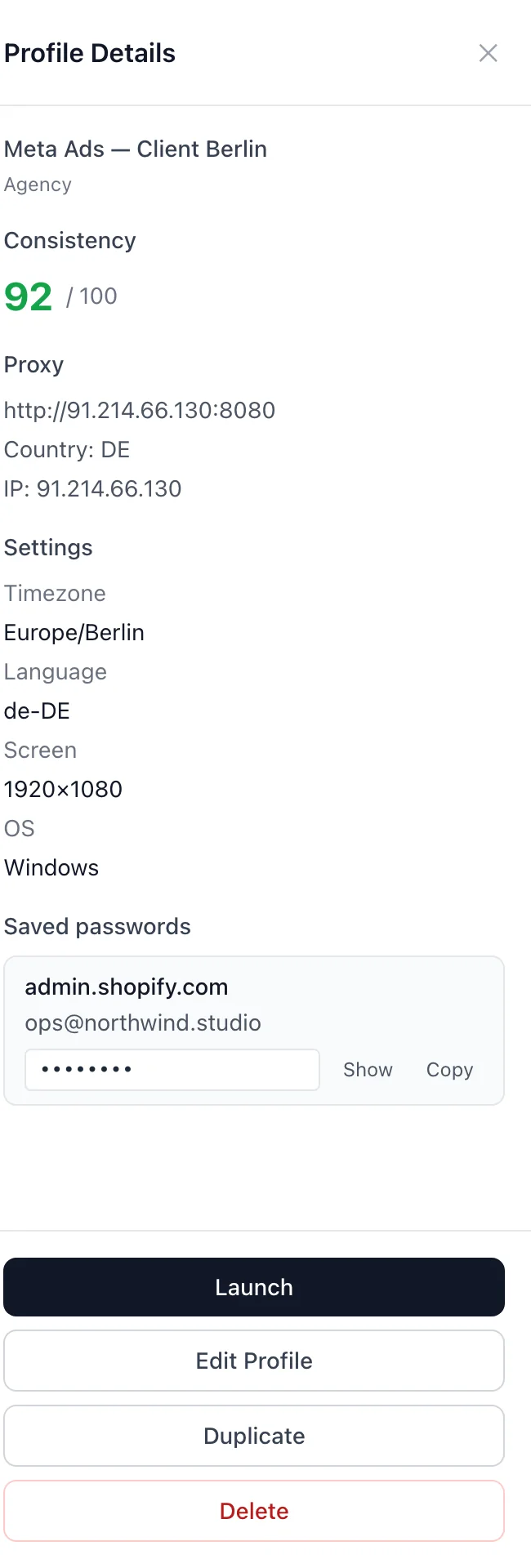
  • Saved logins listed right in the profile panel
  • Launch, stop, duplicate or edit from one table
Profile details panel showing consistency score, proxy, timezone, language, screen size and saved passwords

Identity

Proxy, location and hardware — set per profile.

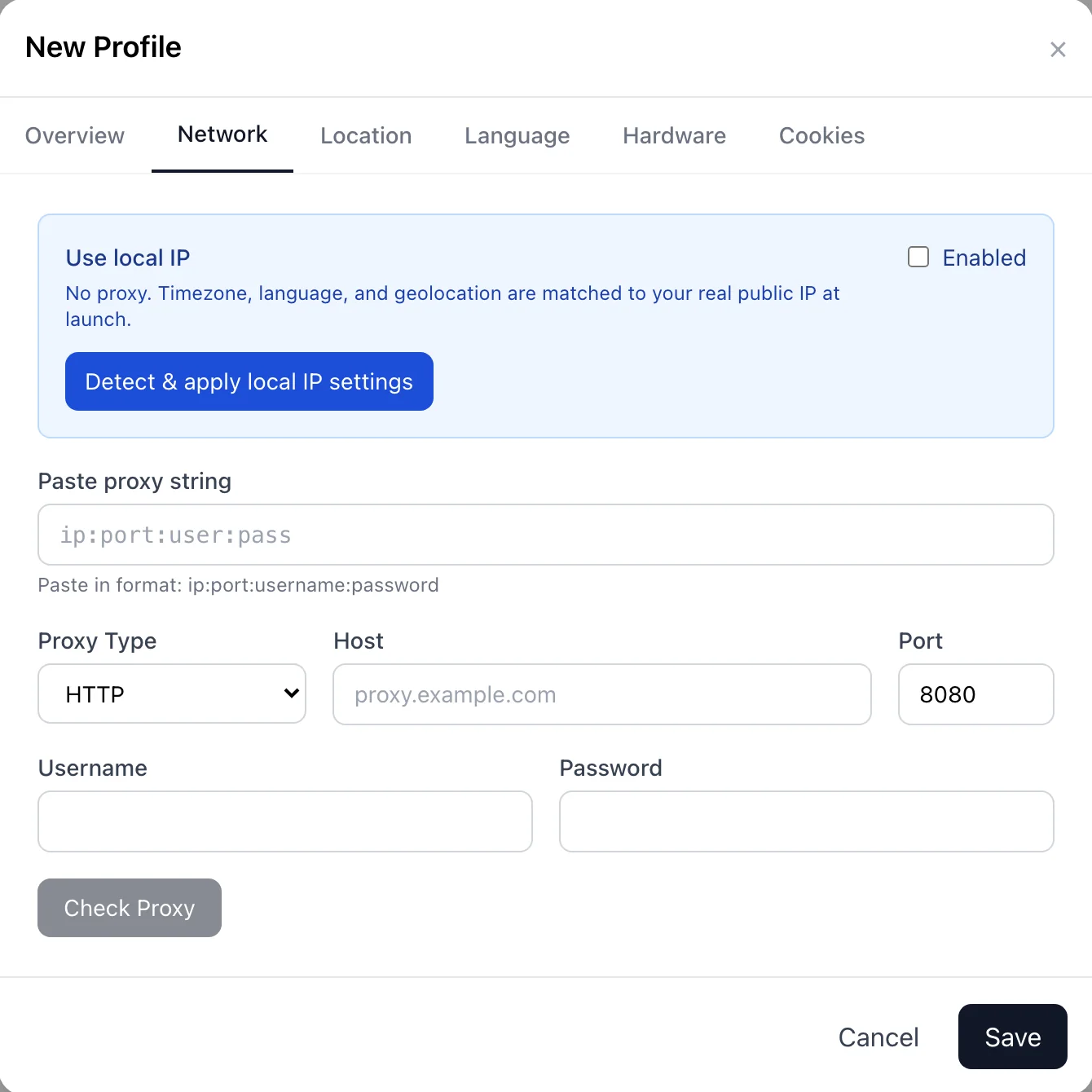
Paste a proxy as ip:port:user:pass and check it. The profile's timezone, language and geolocation follow the proxy's IP. Switch to Local IP when you want your own connection.

  • HTTP and SOCKS5 with a built-in proxy check
  • Timezone, locale and geolocation matched to the IP
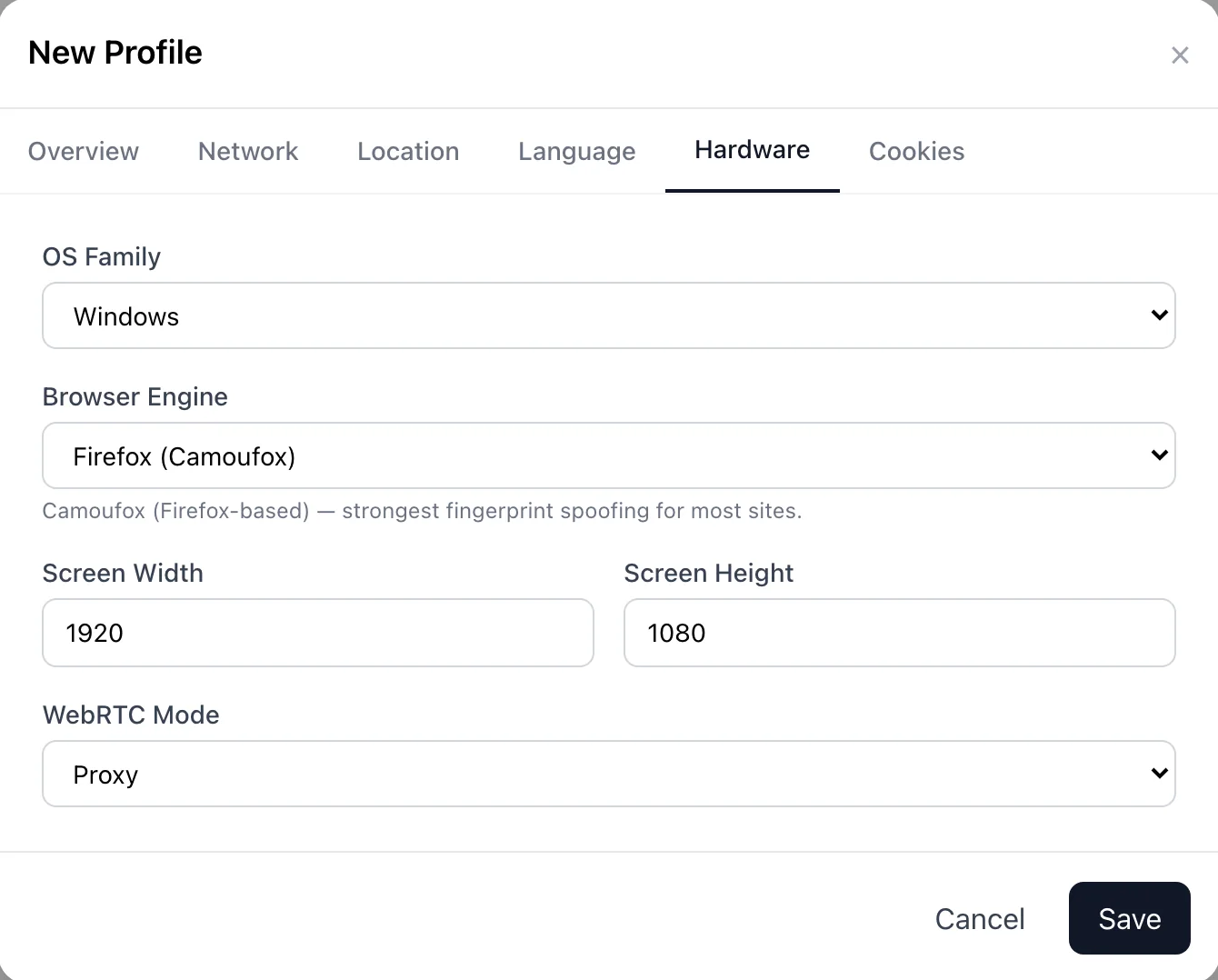
  • OS, screen size, WebRTC and engine for each profile
Hardware tab with OS family, browser engine, screen size and WebRTC mode
Network tab with Local IP mode, proxy string, proxy type, host, port and credentials

Sync

Local-first. Cloud backup when you need it.

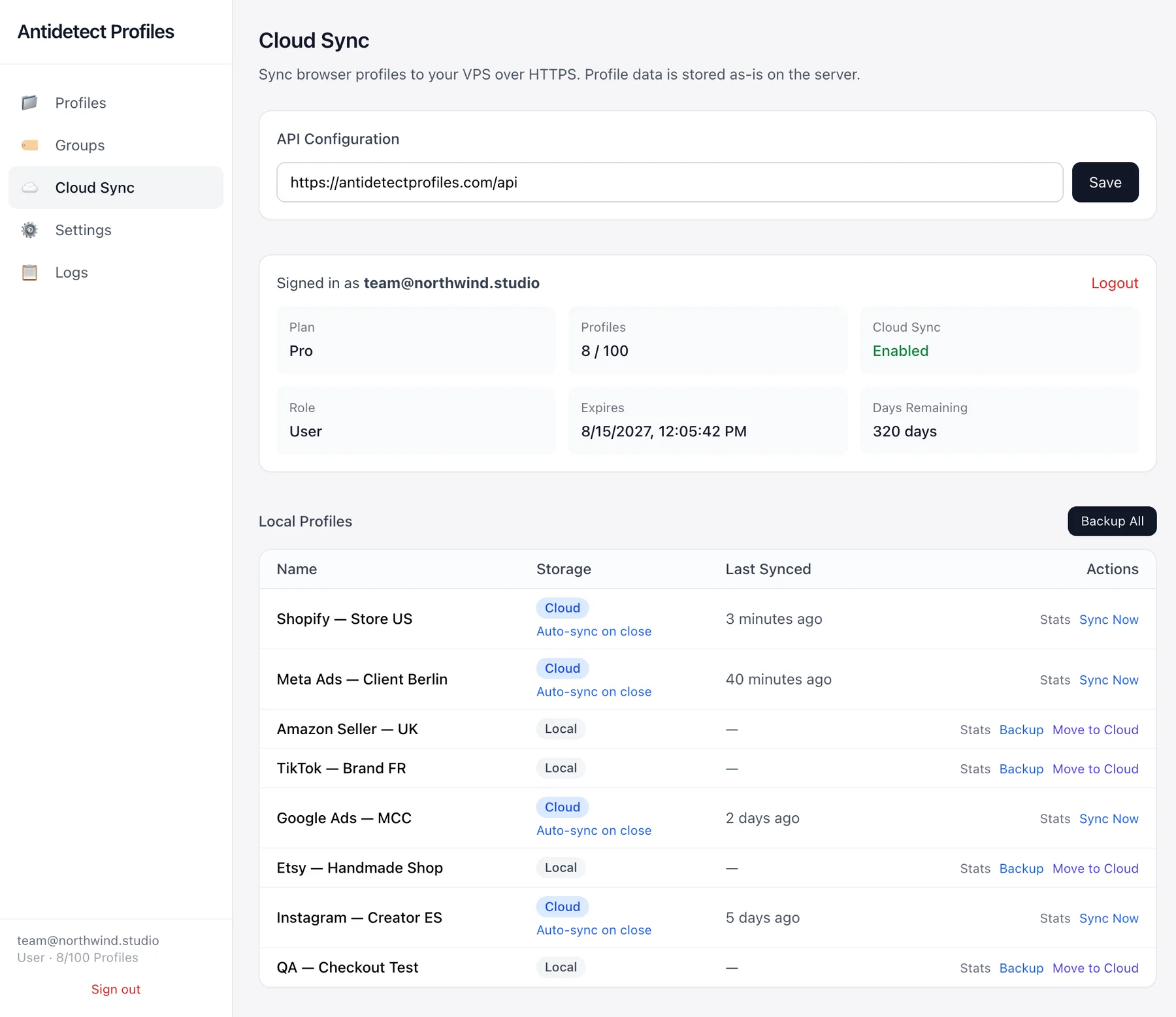
Profiles stay on your computer by default. On Standard and Pro, back them up and restore them on another Mac or PC — cookies, logins and fingerprint included.

  • Cloud profiles sync automatically when they close
  • Move any local profile to the cloud in one click
  • Local Unlimited keeps everything on your device
Cloud Sync screen showing plan, profile usage and sync status for each profile

Getting started

Up and running in three steps.

  1. Download and sign in

    Install the app and create a free account inside it. Your 7-day trial starts right away.

  2. Create a profile

    Name it, paste a proxy, pick the OS and screen. Skip any tab and sensible defaults are used.

  3. Launch

    Each profile opens in its own browser window — same cookies, logins and fingerprint as you left them.

Pricing

Start free. Pay only for what you use.

Every plan includes all fingerprint and proxy controls. Prices shown per month, billed monthly.

Trial

Try everything for 7 days.

$0

No card required

  • 5 profiles
  • No cloud sync
Start free trial

Standard

Cloud backup for a small setup.

$14 /mo

or $119 per year

  • 25 profiles
  • Cloud sync
Choose plan

Pro

More cloud profiles for heavier workloads.

$29 /mo

or $229 per year

  • 100 profiles
  • Cloud sync
Choose plan

Also available for 3 and 6 months. Compare all plans

FAQ

Questions, answered.

Which platforms are supported?

Antidetect Profiles runs on macOS 12 or later (Apple Silicon) and Windows 10/11 x64. There is no Linux desktop build yet.

Where are my profiles stored?

On your computer — one folder per profile (Application Support on Mac, AppData on Windows). Nothing leaves your device unless you turn on cloud sync on the Standard or Pro plan.

Does it include proxies?

No. Bring any HTTP or SOCKS5 proxy provider. Each profile can use a different proxy, or your own connection with Local IP mode.

Which browser engines does it use?

Camoufox, a Firefox-based engine built to resist fingerprinting, and a Chromium-based engine. You pick the engine for each profile. The first launch of each engine downloads it automatically.

What's the difference between Local Unlimited and Standard?

Local Unlimited gives you as many profiles as you like, stored only on your device. Standard and Pro add cloud backup so you can restore profiles on another computer, with 25 and 100 profiles.

macOS says the app can't be opened. What do I do?

The app is not notarized by Apple yet. Right-click it in Applications and choose Open, or go to System Settings → Privacy & Security and click Open Anyway. You only need to do this once.

Windows SmartScreen blocks the app. What do I do?

The Windows build is not Authenticode-signed yet. When SmartScreen appears, click More info, then Run anyway. You only need to do this once.

Do plans renew automatically?

Yes. Paid plans renew for the billing period you choose. You can cancel anytime from your account.

Try it free for 7 days.

Five profiles and every feature. No card required.

Version … · macOS & Windows x64 · Free 7-day trial